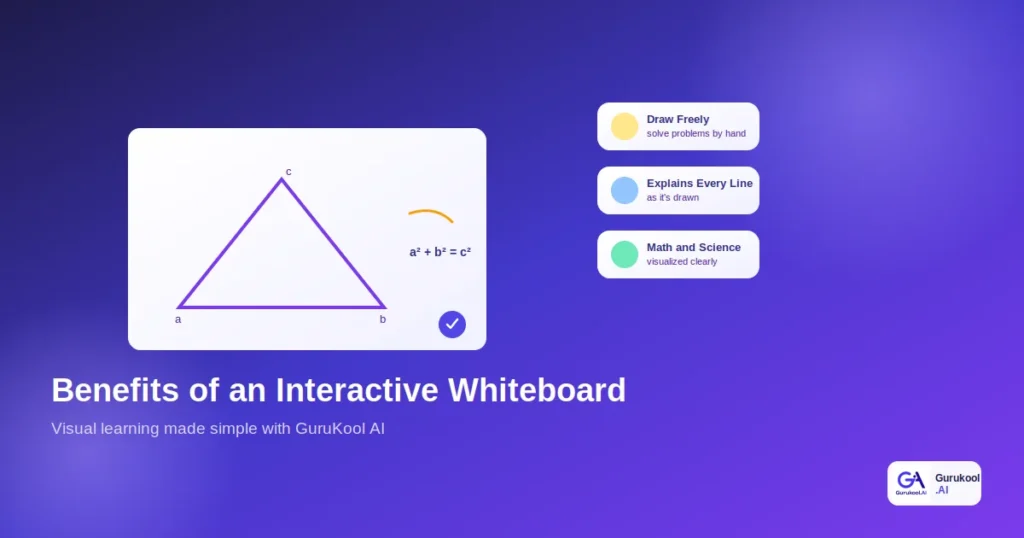
A classroom study going back to Smith’s 2000 research found that 78 percent of students were more motivated and showed better understanding of subject matter after lessons taught with an interactive whiteboard, compared to a traditional chalkboard or slideshow. A more recent classroom study on SmartBoard technology found 96.9 percent of students responded positively, reporting stronger motivation and measurable gains in learning outcomes. The pattern holds up decades apart: showing a concept beats just describing it, regardless of which specific generation of classroom technology delivers that visual.
This guide breaks down what an interactive whiteboard actually does, why the benefits are backed by real classroom research, and how GuruKool AI’s interactive whiteboard brings this kind of visual teaching into everyday studying. If you have already read our guide on what personalized learning means, visual explanation is one of the clearest ways that personalization actually reaches a student who learns best by seeing rather than reading, and it is often the missing piece for a student who has already tried re-reading the same paragraph three times without success.
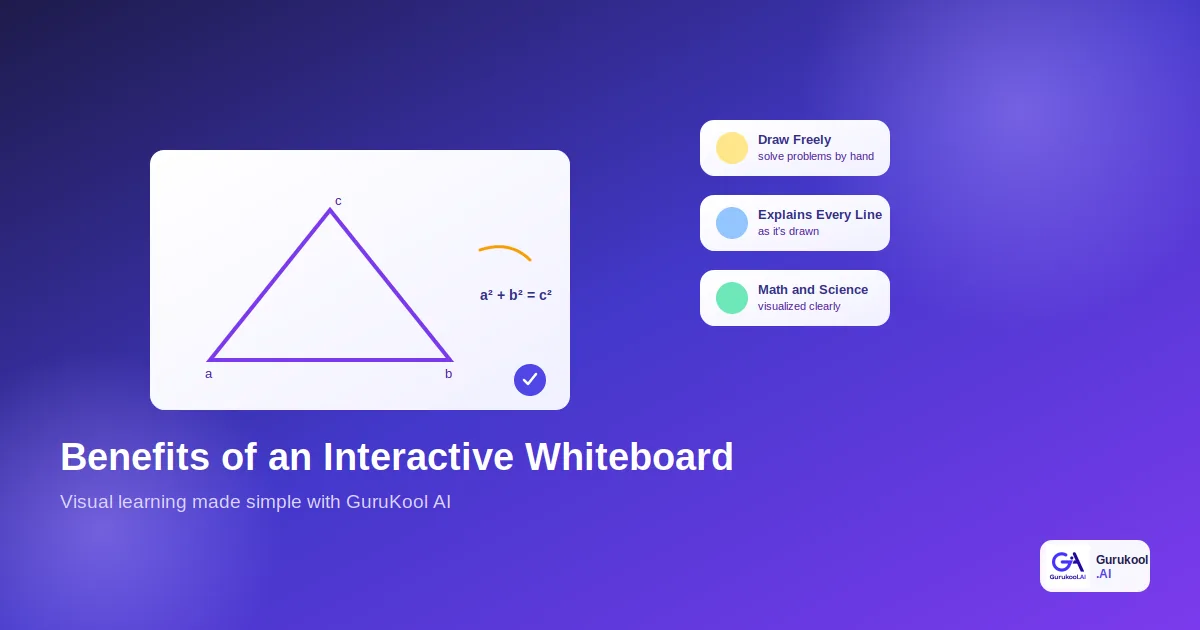
Why Text-Only Explanations Fall Short
Some concepts simply resist being explained in a paragraph. A triangle’s angles, a cell dividing, an orbit curving around a planet: these are spatial ideas, and spatial ideas lose something essential the moment they get flattened into a sentence. No amount of careful wording fully recovers what gets lost in that flattening.
The Limits of Reading About a Diagram
Reading that “the sum of the squares of the two shorter sides equals the square of the hypotenuse” is nowhere near as clear as watching those three squares actually appear on the sides of a triangle, one at a time, while someone points to exactly why they relate. Text describes; a drawing shows. This is exactly the gap an interactive whiteboard is designed to close, turning a sentence students have to decode into a shape they can simply watch and understand. A parent trying to help with the same homework often hits the identical wall: they know the rule but cannot easily re-create the visual reasoning that made it click for them decades earlier.
Why Math and Science Are Especially Visual
Cognitive science research on visualization has found that diagrams reduce cognitive load by presenting information in a format the brain processes more efficiently than dense text, particularly for visually oriented topics like geometry and calculus. Math and science are full of exactly this kind of content, which is part of why generic, text-heavy explanations tend to fail these subjects more often than others. An interactive whiteboard fits this gap almost perfectly, since it was built specifically to present exactly the kind of spatial, sequential information that plain text struggles to carry. History and literature lean more naturally on narrative and language, but geometry, chemistry, and physics are built on relationships between shapes, quantities, and forces that resist being fully captured in a sentence no matter how carefully it is written, no matter how many times it gets reread.
See a concept explained visually instead of in a wall of text. Try GuruKool AI’s interactive whiteboard free.
What Is an Interactive Whiteboard?
An interactive whiteboard is a digital drawing surface that lets both a student and an AI Tutor sketch, label, and build diagrams together in real time, rather than displaying one static image to be read and memorized. The term gets used loosely across the edtech industry, so it is worth being precise about what actually separates a genuine interactive whiteboard from a screen that simply displays pictures. Many products borrow the name without the underlying responsiveness that makes the category actually useful.
More Than a Digital Chalkboard
A plain digital chalkboard just replaces paper with a screen. A genuine interactive tool goes further: it recognizes what is being drawn, responds to it, completes a diagram a student started, and explains each new line as it appears, rather than sitting there as a blank canvas waiting to be filled manually. The distinction matters because plenty of products marketed as “smart boards” are really just large touchscreens with no actual understanding of the content displayed on them.
How It Differs From a Static Diagram or Video
A textbook diagram or a recorded video plays the same way every single time, regardless of whether a student is following along or completely lost. An interactive whiteboard adjusts to the moment: pausing to explain a specific step, redrawing a section differently if the first version did not land, and responding directly to whatever a student sketches back. A video cannot notice confusion; a whiteboard built around an AI Tutor can.
Benefits of an Interactive Whiteboard for Learning
The benefits show up most clearly in the subjects where words alone have always struggled to carry the full explanation, and they tend to compound the more consistently a student uses one across a school year, rather than reaching for it only occasionally.
Seeing a Concept Instead of Just Reading It
According to a widely cited breakdown of student feedback, visual support is named by 19.1 percent of students as one of the most valuable benefits of this kind of technology, second only to general access to online resources. Watching an idea take shape stroke by stroke builds a mental model that a paragraph of text rarely creates on its own, and that mental model tends to be exactly what a student reaches for later during a test, long after the specific wording of a textbook explanation has been forgotten.
Drawing and Getting Immediate Feedback
Older classroom research on whiteboard use found that letting students draw directly, rather than only watching a teacher draw, added a genuinely hands-on dimension to the lesson: tracing a shape, feeling how the lines connect, and seeing a mistake corrected the moment it happens instead of after a graded worksheet comes back days later. That immediacy is difficult to overstate; a correction delivered in the moment lands very differently than the same correction delivered a week later on a returned assignment, once the original reasoning has already faded from memory.
Working Through Problems Step by Step
Complex problems, whether a multi-step equation or a multi-stage chemical reaction, are far easier to follow when broken into individual, visible steps rather than presented as one dense block of text or a single finished image. Each step becomes something a student can pause on, question, and revisit before moving to the next one, which turns a single overwhelming problem into a sequence of manageable, individually understandable pieces.
Ready to see a hard concept broken into visible steps? Start a free GuruKool AI session.
Interactive Whiteboard vs Static Diagrams: A Comparison
Here is how the two approaches compare on the factors that actually affect whether a concept sticks long after the lesson ends, laid out side by side rather than argued in the abstract.
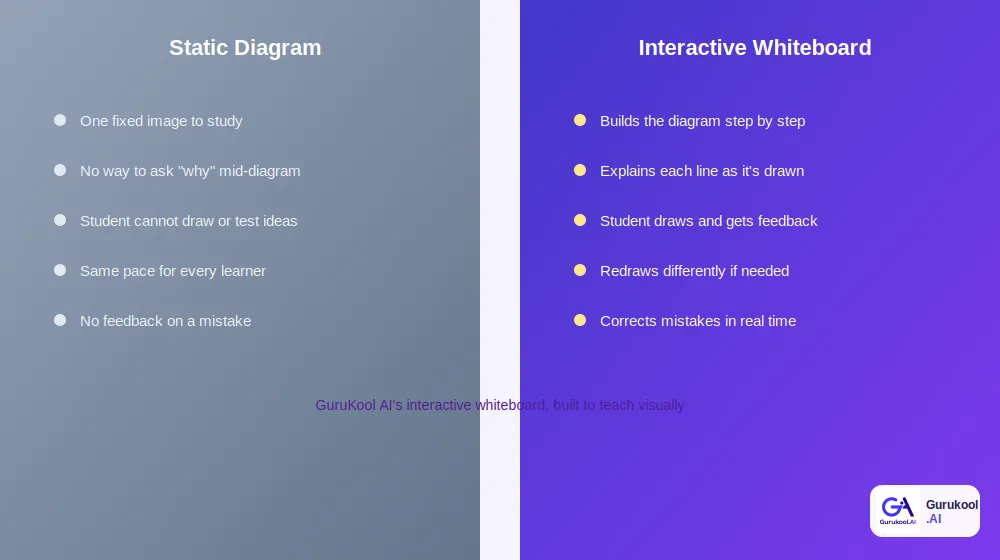
A fixed diagram versus a whiteboard that builds and adapts in real time
| Factor | Static Diagram | Interactive Whiteboard (GuruKool AI) |
|---|---|---|
| Pace | Fixed, same for every viewer | Builds step by step, at the student’s pace |
| Student participation | Passive viewing only | Student draws and gets a response |
| Handling confusion | No way to ask mid-diagram | Redraws or re-explains on request |
| Mistake correction | None built in | Corrects and explains in real time |
| Subject fit | Works for simple, fixed content | Strong for math, geometry, and science |
Engagement and Retention
Motivation research on this technology consistently reports higher engagement scores than text-only or slideshow-based lessons, and higher engagement is one of the more reliable predictors of what a student actually remembers a week later. A meta-analysis on active learning methods, separate from whiteboard-specific research, found that traditional lecturing increases failure rates by 55 percent compared to more active, participatory teaching approaches, a pattern that lines up closely with what an interactive whiteboard is designed to encourage.
Correcting Mistakes in Real Time
A static diagram cannot tell a student their labeled angle is wrong. A responsive whiteboard can flag it immediately, show why, and let the student try again on the same drawing rather than starting over from a blank page. That single difference removes a surprising amount of friction from an otherwise frustrating study session.
How GuruKool AI’s Interactive Whiteboard Works
GuruKool AI brings this kind of visual teaching into an AI Tutor session automatically, whenever an explanation calls for something more than text, without a student needing to request it specifically or switch to a separate app entirely.
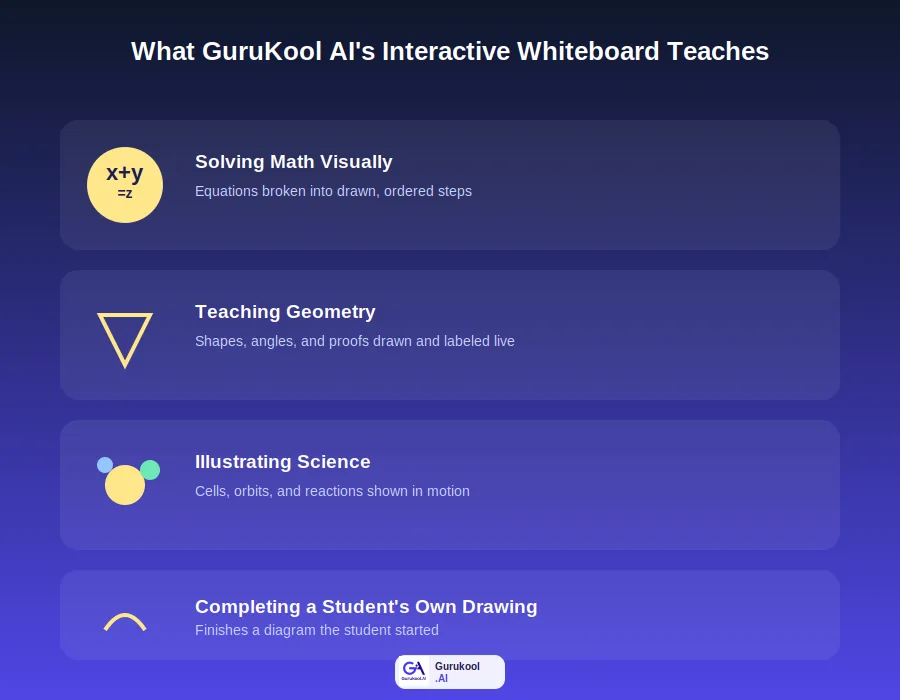
Where GuruKool AI’s interactive whiteboard gets used most
Letting Students Draw and Completing Diagrams
A student can sketch a shape, a graph, or a partial diagram, and GuruKool AI completes or corrects it, explaining each addition as it appears rather than simply overwriting the student’s own attempt. The original sketch stays visible throughout, so the student can see exactly what changed and why, rather than being handed a finished version with no trace of their own reasoning.
Solving Math Visually and Teaching Geometry
Equations get broken into ordered, visible steps instead of a single final line, and geometric proofs get drawn and labeled the way a teacher would at an actual chalkboard, angle by angle, side by side with the reasoning behind each mark. A student can ask why a particular step follows from the one before it and get a fresh drawing rather than a repeated sentence.
Illustrating Science Concepts
Cell division, orbital motion, and chemical reactions all involve change over time, which is exactly what a static textbook image cannot show. GuruKool AI’s board draws these processes in motion, one stage at a time, so the sequence itself becomes part of the explanation, not just the final result frozen on a page.
- Lets students draw directly on the board and responds to it
- Completes diagrams a student has already started
- Explains every drawing as it is created, not after the fact
- Solves math problems visually, step by step
- Teaches geometry with labeled, drawn proofs
- Illustrates science concepts that involve motion or change
See a real diagram built in real time. Start a free GuruKool AI demo today.
An Interactive Whiteboard Session in Action
An eighth grader is stuck on the Pythagorean theorem, unable to picture why the formula actually works rather than just memorizing it. Memorizing the formula alone had gotten her through quizzes before, but a slightly reworded exam question this time left her stuck with no fallback.
Drawing the Triangle Together
She opens GuruKool AI and asks why the formula is true, not just what it is. Instead of a paragraph, the interactive whiteboard draws a right triangle, then builds a square on each side, one at a time, explaining out loud why the two smaller squares’ combined area always equals the larger one. Watching the areas fill in side by side makes the relationship obvious in a way the algebraic formula alone never quite managed to.
Testing Understanding With a New Shape
She is asked to sketch her own right triangle and predict the relationship before the board confirms it. When her first guess is close but not quite right, the whiteboard points to the specific side she measured incorrectly rather than simply marking the attempt wrong, and she corrects it herself on the same drawing. That act of correcting her own work, rather than watching someone else fix it for her, is what makes the concept feel earned rather than just handed over.
Before moving to specific questions, it is worth noting that an interactive whiteboard is not meant to replace every other study tool. It works best alongside step-by-step tutoring and written notes, filling in specifically the spatial and sequential gap that plain text and audio explanations tend to leave open.
Frequently Asked Questions About Interactive Whiteboards
What is an interactive whiteboard used for in learning?
An interactive whiteboard is used to explain visual and spatial concepts, such as geometry, chemical reactions, or math problems, by building diagrams step by step rather than presenting one static image. It also lets a student draw directly and receive real-time feedback on their own work.
Are interactive whiteboards actually proven to help students learn?
Yes. Classroom research dating back to the early 2000s has consistently found higher motivation and better understanding among students taught with an interactive whiteboard, with some studies reporting positive responses from more than 95 percent of participating students compared to traditional instruction methods.
What subjects benefit most from an interactive whiteboard?
Math, geometry, and science benefit the most, since these subjects rely heavily on spatial reasoning, sequential steps, and processes that change over time. Subjects built around visual relationships tend to see the clearest gains compared to purely text-based content, though language learning and geography also benefit noticeably.
How does GuruKool AI’s interactive whiteboard differ from a video lesson?
A video plays the same way regardless of whether a student understands it. GuruKool AI’s interactive whiteboard adjusts in real time, pausing on a confusing step, redrawing a section differently, and responding directly when a student sketches their own attempt on the same board.
Can a student draw on GuruKool AI’s whiteboard themselves?
Yes. Students can sketch shapes, graphs, or partial diagrams directly, and GuruKool AI completes or corrects the drawing while explaining each change. This turns the whiteboard into a two-way conversation rather than a one-way presentation the student only watches.
Conclusion
An interactive whiteboard is not simply a fancier screen at the front of a room. It is a way of teaching that matches how spatial subjects like math, geometry, and science actually need to be taught: step by step, drawn out, and responsive to exactly where a student gets stuck. Decades of classroom research point the same direction, from Smith’s original motivation findings to newer studies showing overwhelmingly positive student response, and the underlying reason has not changed even as the technology has: showing a concept simply works better than describing it for anything with real spatial structure.
GuruKool AI brings this kind of interactive whiteboard directly into everyday AI Tutor sessions, letting students draw, completing their diagrams, explaining every line, and turning abstract formulas into something a student can actually watch take shape. Over time, that shift changes how a student approaches a hard problem: instead of staring at a page hoping the answer appears, they start sketching, testing, and building toward it the way the whiteboard has modeled again and again.
See a concept explained visually, right now. Start a free GuruKool AI demo today.
Sources: SMART Technologies, Interactive Whiteboards and Learning: Improving Student Learning Outcomes; Market.us Scoop, Interactive Whiteboard Statistics and Facts 2026.
Related reading: what an AI tutor actually is, what personalized learning actually means, and how an AI homework helper explains and builds practice.