Teachers who use AI at least once a week save an average of 5.9 hours per week, according to a 2025 Gallup and Walton Family Foundation survey. Over a full school year, that adds up to roughly six weeks of reclaimed time. Yet one 2026 study found that while 69 percent of teachers feel comfortable using AI for lesson planning and grading, only 53 percent feel ready to teach students how to use it responsibly. The best AI tools for teachers close both gaps: they give back the hours, and they make AI feel like a natural part of teaching instead of one more thing to manage.
This guide looks at what to look for in AI tools, why one connected platform usually beats a pile of separate apps, and how GuruKool AI supports teachers with six capabilities that matter most: explaining concepts visually, answering student questions, preparing lessons, annotating PDFs, monitoring progress, and improving classroom engagement. If you have already read our guide on the best AI tools for students, this is the teacher-side companion, showing how the same platform works from the front of the classroom.
Why Teachers Need More Than Another Standalone App
Ask almost any teacher what they would do with an extra hour in the day, and the answer is rarely “try another app.” It is usually something closer to planning a better lesson, giving a struggling student some real attention, or simply going home on time. Many AI tools promise exactly that, yet quietly add one more login, one more setup, and one more thing to figure out in the middle of an already full week.
The Workload Behind the Classroom
The visible part of teaching is the lesson itself. The hidden part is everything around it: building materials, differentiating them for different levels, grading, answering the same question for the fifth time, and writing feedback that students actually read. One 2026 analysis found that lesson planning is the single most common use of AI among teachers, with about three in four AI-using teachers applying it there first. That makes sense, because planning is where the invisible hours pile up, and it is exactly where well-built AI tools can give time back without touching the part of teaching that depends on a human being in the room.
The Confidence and Policy Gap
Time savings are only half of the story. Many teachers also report feeling unsure about how to use AI responsibly, and formal guidance often lags behind classroom reality. One 2026 analysis found that only around 18 percent of teachers report having a formal school policy covering AI use, even as adoption passes 60 percent. Teachers are also paying their own way: a separate survey found that 43 percent buy AI tools with their own money, and 89 percent want those tools to cost less than ten dollars a month. Clear, affordable, all-in-one platforms address that gap far better than a scattered collection of subscriptions.
Want to see what AI support looks like from the teacher’s side? Try GuruKool AI free and explore the tools built for your classroom.
What to Look for in AI Tools for Teachers
Not every product marketed as a teaching assistant actually helps a teacher. Before comparing features, it helps to know which qualities separate genuinely useful AI tools for teachers from ones that simply add noise to an already busy workday.
Time Saved on Routine Tasks
The clearest test of any teaching tool is whether it removes routine work without creating new routine work in its place. The most valuable AI tools handle the mechanical parts of teaching, like generating lesson drafts, creating practice questions, and answering common student questions, so that a teacher can spend that time on discussion, feedback, and relationships. If an AI tool requires as much setup and checking as the task it replaced, it is not really saving anything.
Support for Teaching, Not Replacement of It
Good AI tools keep the teacher in charge. They offer a draft, an explanation, or a data point, and the teacher decides what to do with it. That matters because research on classroom AI consistently finds that the biggest benefits come when AI handles preparation and routine support while teachers handle judgment, motivation, and connection. A platform that respects that division of labor tends to earn trust faster, and it also tends to fit more smoothly into how teachers already run their classrooms.
Two more questions are worth asking before adopting any platform. First, does it work with the materials you already use, such as your own PDFs, slides, and textbooks, or does it force you to rebuild everything from scratch? Second, does it give you visibility into what students are actually doing with it? The strongest AI tools for teachers answer yes to both, because a tool that cannot show you its impact is hard to defend to a principal, and a tool that ignores your existing materials is hard to keep using past the first week.
The Best AI Tools for Teachers, Built Into One Platform
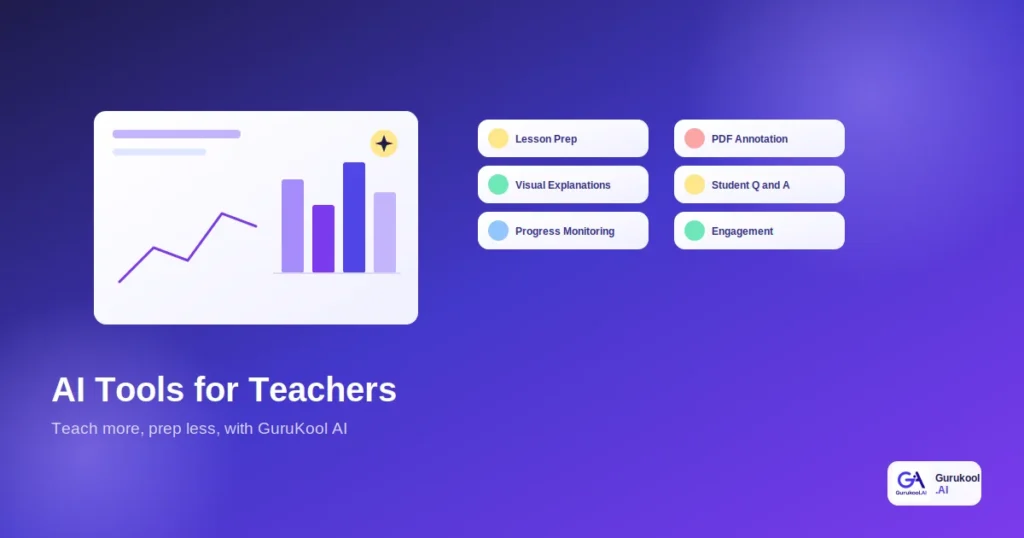
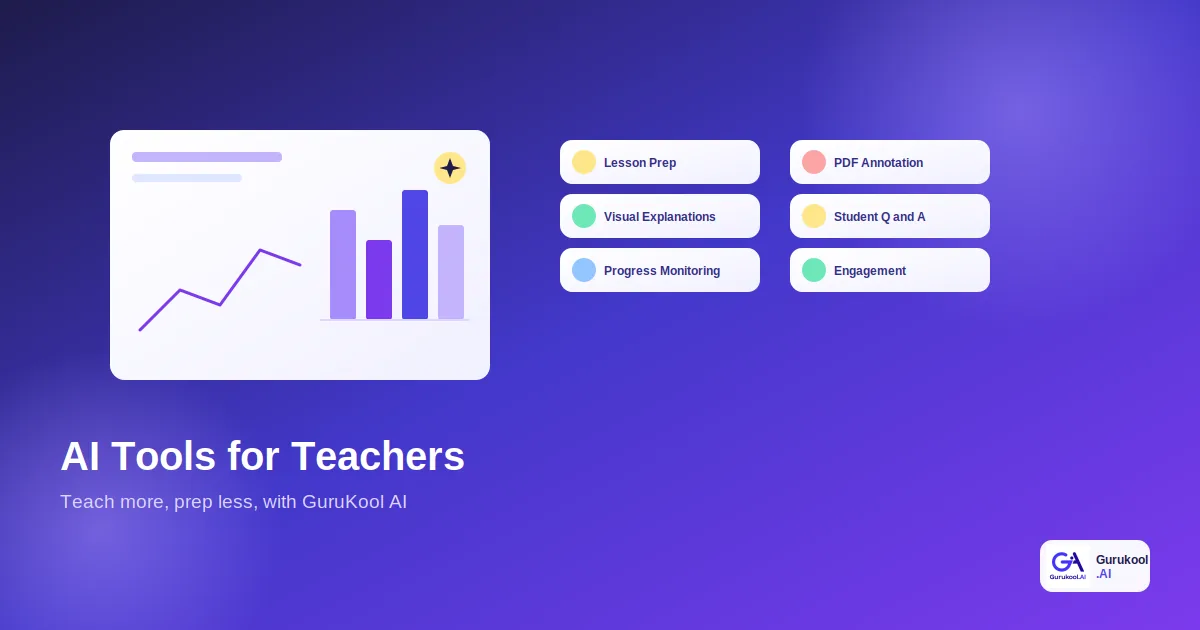
Rather than recommending six separate products, here are the six capabilities that matter most for teachers, each built into GuruKool AI as part of one connected platform and each covered in more depth in its own guide.
- Visual explanations: concepts drawn out on an interactive whiteboard
- Student questions: instant answers from an AI tutor, any time of day
- Lesson preparation: explanations, examples, and diagrams ready to use
- PDF annotation: highlights, notes, and summaries on any document
- Progress monitoring: analytics showing where each student stands
- Classroom engagement: interactive, voice, and visual learning options
Explaining Concepts Visually and Answering Student Questions
An interactive whiteboard lets a teacher draw out geometry, chemistry, or a historical timeline step by step, and the digital whiteboard keeps every session saved for later review. When students have questions after class, an AI tutor can answer them instantly and at the right level, which means a teacher is no longer the only source of help at nine o’clock on a school night. These AI tools extend a teacher’s reach without replacing a teacher’s judgment.
Preparing Lessons and Annotating PDFs
Lesson preparation is where most teachers lose their evenings, and it is where an AI PDF reader helps most. A teacher can upload a reading, get a summary, pull out the key ideas, and generate discussion questions in minutes. With PDF annotation, highlights, notes, and explanations go directly onto the page, so a handout can be marked up once and shared with the whole class. A smart library then surfaces related material automatically.
Monitoring Progress and Improving Classroom Engagement
Knowing where each student stands is one of the hardest parts of teaching a full classroom. Learning analytics, powered by adaptive learning, shows which topics a class understands and which ones need another pass. Combined with personalized learning, voice options, and visual explanations, these AI tools give students more ways to engage with the same lesson, which tends to lift participation across the room.
See all six capabilities working together. Start a free GuruKool AI session and try the whiteboard, tutor, and analytics in one place.
Standalone AI Tools vs One Teaching Platform: A Comparison
Here is how standalone AI tools and one connected platform compare on the factors that matter most to a teacher with a full schedule and a limited budget.
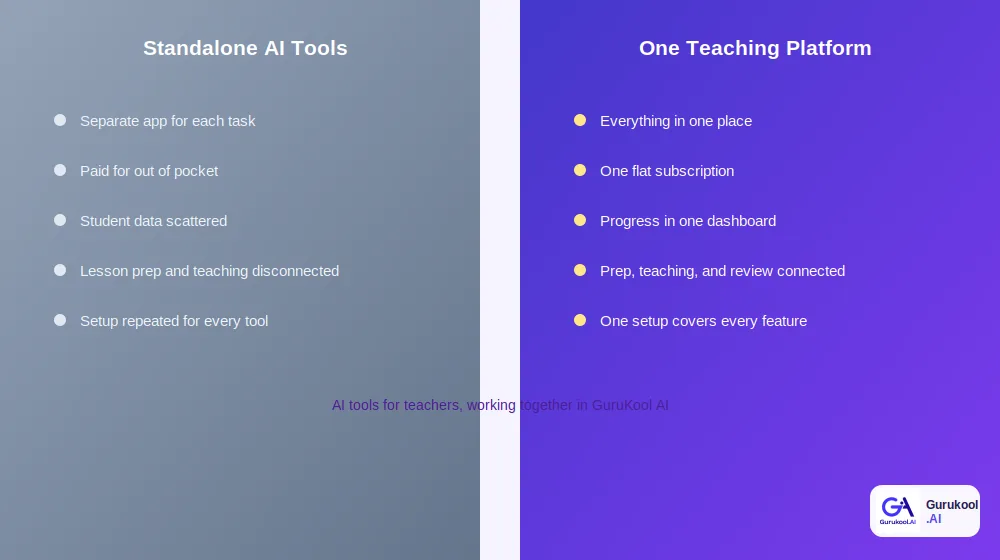
Separate apps versus one connected platform for teachers
| Factor | Standalone AI Tools | One Platform (GuruKool AI) |
|---|---|---|
| Number of tools to learn | One per task, often five or more | One platform covers every task |
| Cost | Stacked subscriptions, often self-funded | One flat subscription |
| Student data | Scattered across separate apps | One unified analytics dashboard |
| Prep and teaching | Disconnected from each other | Connected from lesson to review |
| Setup time | Repeated for each new tool | One setup covers everything |
Cost to the Teacher
When 43 percent of teachers are already paying for AI tools out of pocket, stacked subscriptions are a real problem. A single platform that covers lesson preparation, student support, and progress tracking under one subscription is usually easier to justify, easier for a school to adopt, and easier for a teacher to keep using once the novelty fades.
Time Spent Switching and Setting Up
Every extra tool carries a setup cost: a new login, a new interface, and a new set of settings to learn. Across five or six separate AI tools, that overhead can quietly cancel out much of the time those tools were supposed to save. A connected platform avoids that cost, because a teacher learns one system and every feature shares the same context, students, and materials. For teachers who already feel stretched, fewer AI tools to learn is a benefit in itself.
How GuruKool AI Supports Teachers
GuruKool AI was built so that the same platform students use for studying also supports the teacher who is guiding them, which keeps the AI tools for teachers and the tools for students working from the same information.
One Platform for Teaching and Student Support
A teacher can draw a concept on the whiteboard, upload and annotate a reading, and let students ask follow-up questions through the AI tutor, all inside one account. Because everything lives together, the explanation a teacher gives in class is the same one a student can revisit at home, and the questions students ask at night can inform what the teacher covers the next morning.
Data That Shows Where Students Need Help
Learning analytics turn scattered quiz results and tutoring sessions into a clear picture of the class. A teacher can see which topics most students are still struggling with, which individuals need extra attention, and which concepts have already landed. That makes it possible to plan a targeted review instead of re-teaching an entire unit, which saves time for everyone involved and keeps stronger students from repeating material they already know.
This shared picture also helps with differentiation, which is one of the most time-consuming parts of teaching. Instead of preparing three versions of every handout by hand, a teacher can let the platform adjust explanations to each student’s level while keeping the whole class on the same topic. Used this way, AI tools support fairness as well as efficiency, because students who need more time get it quietly, and students who are ready to move ahead are not left waiting for the rest of the room.
See how it fits into your classroom. Start a free GuruKool AI demo today and explore the teacher view.
A Teaching Week With AI Support
It helps to see how these AI tools for teachers fit into an ordinary week instead of reading about them in the abstract. The same AI tools that save time on Monday also inform the decisions a teacher makes on Friday.
Planning and Teaching: Monday Through Wednesday
A science teacher starts the week by uploading a dense article, getting a summary, and generating five discussion questions in a few minutes instead of an evening. During class, she draws the water cycle on the interactive whiteboard and adds labels as students ask questions. By Wednesday, several students have used the AI tutor to clarify evaporation and condensation, so she already knows which idea needs a quick recap.
Reviewing and Adjusting: Thursday and Friday
On Thursday, the analytics dashboard shows that most of the class has the water cycle down but a handful are still unsure about condensation. She builds a short review around that single gap. By Friday, the same dashboard shows the improvement, and she heads into the weekend with a clear record of who understood what, rather than a stack of ungraded papers.
That same week typically follows a simple pattern:
- Upload the reading and review the summary and discussion questions.
- Teach the concept visually on the interactive whiteboard.
- Let students ask follow-up questions through the AI tutor.
- Check the analytics dashboard for topics the class still finds difficult.
- Plan a short, targeted review around the specific gap.
Before wrapping up, here are answers to a few of the most common questions teachers ask when they first look at AI tools for the classroom.
Frequently Asked Questions About AI Tools for Teachers
What are the best AI tools for teachers right now?
The most useful AI tools for teachers cover visual explanations, student question support, lesson preparation, PDF annotation, progress monitoring, and classroom engagement. GuruKool AI combines all six in one platform, so teachers learn one system instead of managing several separate subscriptions and logins.
How much time can AI tools actually save a teacher?
Teachers who use AI at least weekly report saving an average of about 5.9 hours per week, roughly six weeks over a school year, according to Gallup and Walton Family Foundation research. Most of that time comes from lesson planning, differentiation, and grading rather than live instruction.
Will AI tools replace teachers?
No. Research consistently finds that AI works best when it handles preparation and routine support, while teachers provide judgment, motivation, and human connection. AI tools can draft, explain, and track, but a teacher still decides what to teach, how to respond, and when a student needs real attention.
Are AI tools for teachers safe to use with students?
Safety depends on the platform. Look for clear privacy practices, curriculum-aligned content, and visibility into how students use the tool. Many teachers also check their school’s guidance first, since formal policies still lag behind adoption in many districts, and ask the vendor how student data is stored.
How is GuruKool AI different from using several separate AI apps?
GuruKool AI connects lesson preparation, visual teaching, student support, and analytics in one account, so context carries from one feature to the next. Separate apps each see only a narrow slice of the classroom, which means more setup, more cost, and no shared picture of how students are actually doing.
Conclusion
The best AI tools for teachers are not the ones with the most features on a pricing page. They are the ones that quietly return hours to the week, keep the teacher in charge, and fit together instead of demanding yet another login. With six weeks of potential time savings on the table and a real confidence gap still to close, a single connected platform is usually the more practical path for a busy classroom.
GuruKool AI brings visual explanations, student question support, lesson preparation, PDF annotation, progress monitoring, and classroom engagement into one platform, so the AI tools for teachers stop being a shopping list and start being a dependable part of the school day.
See what a lighter prep week could look like. Start a free GuruKool AI demo today.
Sources: Youngstown State University, Teachers and AI: A Study on Confidence Gaps and Challenges; Programs.com, The Latest AI in Education Statistics 2026.
Related reading: the best AI tools for students, how an AI homework helper explains and builds practice, and where AI in education is headed next.