Pew Research Center found that 95 percent of US teens now have access to a smartphone, and more than eight in ten say they use their phones to learn new things. That makes mobile learning less of a trend and more of a description of how students already live. The real question is whether those phones become a source of distraction or a tool for study. A 2024 JAMA Pediatrics analysis found that students spent between 43 and 90 minutes of the school day actively using their phones during instruction, mostly on social and entertainment apps. Good mobile learning aims to turn some of that time into something that helps.
This guide explains what mobile learning is, six benefits it offers, and how GuruKool AI supports it with learning anywhere, voice learning, AI tutoring, PDF reading, an interactive whiteboard, and offline study where supported. If you have read our guide on the best AI tools for students, this post shows how the same tools work when you are away from a desk.
Why Mobile Learning Matters More Than Ever
Students rarely sit at a desk for hours with nothing else going on. Their day is full of small gaps: a bus ride, a free period, a wait outside practice. Traditional study assumes long, quiet blocks of time that many students do not have. Mobile learning meets them where they already are, and it turns spare minutes into useful ones.
Students Already Live on Their Phones
Nearly every teenager has a smartphone, and the Center for American Progress reports that 43 percent of tweens aged 8 to 12 own a mobile device too. Pew Research Center found that more than eight in ten teens use their phones to learn new things, not only to pass time. Ignoring that reality does not remove phones from students’ lives. It simply means the learning that happens on them is unguided, which is where well-designed mobile learning can help.
The Phone Debate Is About Use, Not Devices
Schools are right to be careful. As of August 2026, 36 states have banned or restricted phone use in classrooms, and the JAMA Pediatrics data shows how much instructional time social apps can take. Those rules are sensible, and mobile learning is not an argument against them. Its strongest value lies outside the classroom, in the commute, the evening, and the weekend, and inside class only when a teacher chooses it. The difference between helpful and harmful phone use is purpose, not the device itself.
Want to see what purposeful phone use looks like? Try GuruKool AI free and study in short, focused sessions.
What Is Mobile Learning?
Mobile learning is learning that happens through a phone or tablet, in short sessions, wherever the learner happens to be. It is not simply a shrunken version of a desktop course. It works best when content is built for small screens and short bursts, with features like voice, quick questions, and instant feedback that make sense on the go.
Learning That Fits Into Small Pockets of Time
The core idea is simple: ten minutes here and there add up. Short modules of about two to ten minutes suit the way people use phones, and they support spaced practice, which is the habit of revisiting material over several days rather than all at once. A student who reviews a few key ideas on the bus, takes a quick quiz at lunch, and revisits a hard question in the evening often remembers more than one who crams for two hours once a week. Our guide on how to study faster with AI explains why this pattern works.
What the Research Says
A review of 97 studies published between 2014 and 2023 found that well-planned mobile learning can improve engagement, knowledge, and skills across different education levels. The important words are well-planned. The same review notes real barriers, including infrastructure, cost, and teacher readiness, and the phone debate above shows why design matters. The research supports mobile learning that has a clear purpose, short sessions, and good structure, not mobile learning that simply puts more screens in front of students.
Three design rules help mobile learning work in practice. First, keep each session to one goal, such as understanding a single idea or finishing one short quiz. Second, put the most valuable action first: a question, a summary, or a listen, not a menu. Third, end every session with a clear stopping point so the phone goes back in the pocket. Sessions built this way respect attention, and they are the reason short bursts of mobile learning can beat long, unfocused hours with notifications competing for attention.
6 Benefits of Mobile Learning for Students and Schools
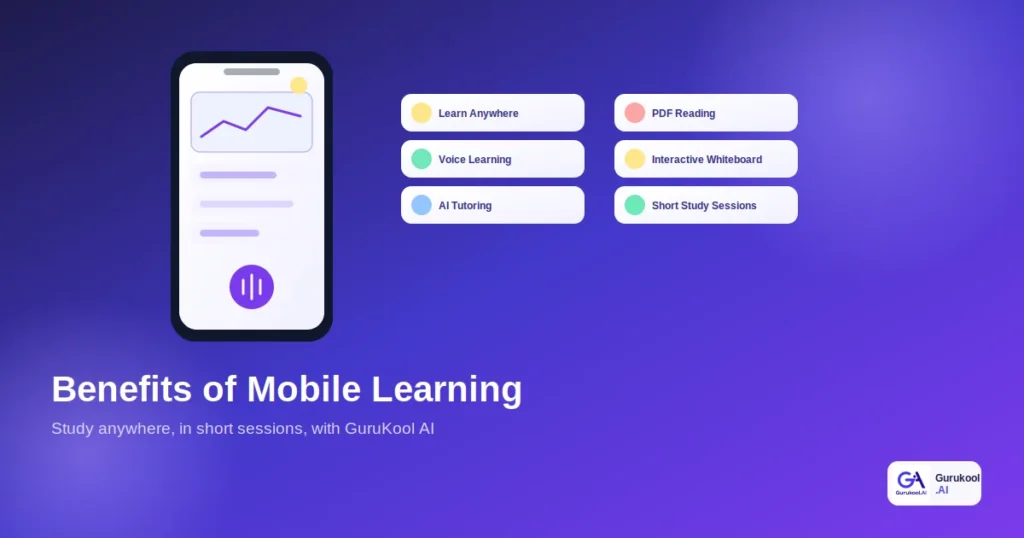
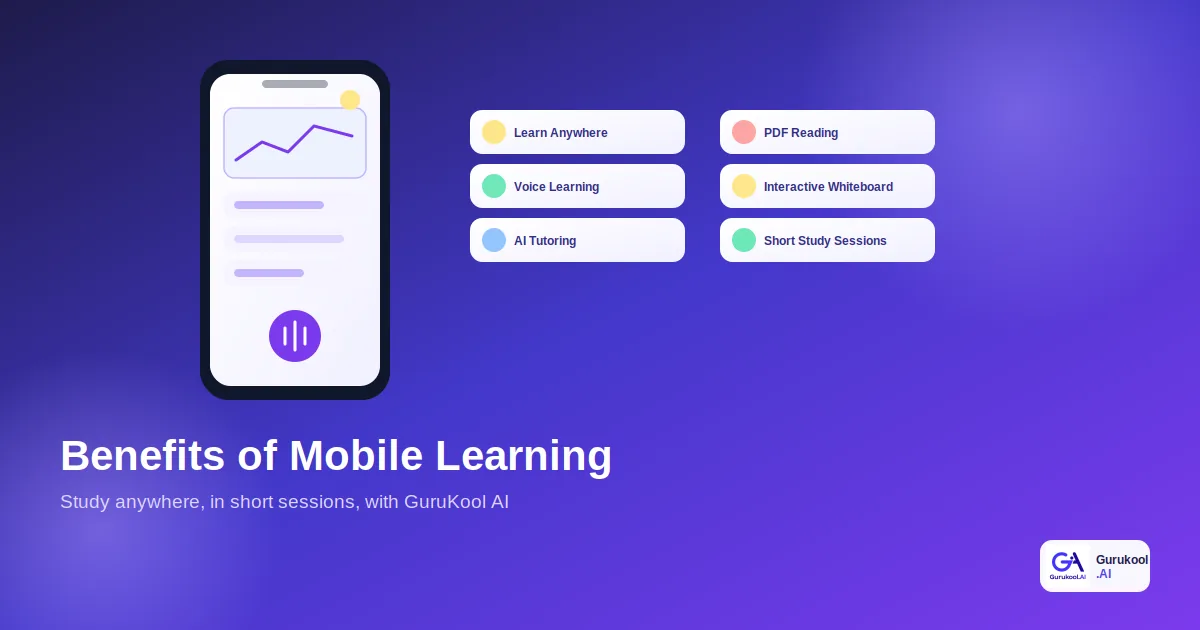
Six benefits come up most often, and GuruKool AI supports each one.
- Learning anywhere: study on the bus, at home, or between activities
- Voice learning: listen to chapters and talk through questions out loud
- AI tutoring: get a step-by-step explanation the moment you are stuck
- PDF reading: summarize, highlight, and quiz yourself on documents
- Interactive whiteboard: draw and see ideas explained visually
- Offline study: review saved material without a connection, where supported
Learning Anywhere and Voice Learning
The first benefit is time. Mobile learning lets students use gaps that desktop study ignores, such as commutes and waiting time. Voice learning adds a second advantage, because listening works when reading does not. A searchable AI library can read a chapter aloud, and a large meta-analysis found no significant difference in comprehension between reading and listening for many learners. For a student with a long bus ride, that is a real study session.
AI Tutoring and PDF Reading on the Go
Getting stuck is the main reason students give up, and on a phone the help needs to be immediate. An AI tutor answers a question in seconds, so a small confusion does not wait until tomorrow. An AI PDF reader summarizes a long document into key points that fit on a small screen, which makes a dense reading manageable in a spare ten minutes.
Interactive Whiteboard and Offline Study
An interactive whiteboard lets a student sketch a diagram or work through a problem visually, even on a tablet. Offline study deserves a short, honest note. Many learning apps let students save material to read where the signal is weak, while live features such as AI tutoring need a connection. Offline support varies by platform and device, so check what the current app offers before relying on it.
These benefits also reach schools. Leaders who want to understand the bigger picture can read our guides on AI for schools and digital transformation in schools, which show where mobile access fits in a school-wide plan.
See all six benefits on your own phone. Start a free GuruKool AI session and try voice learning on your next commute.
Mobile Learning vs Desktop-Only Learning: A Comparison
Here is how mobile learning compares with study that happens only at a desk, on the points that affect daily habits most.
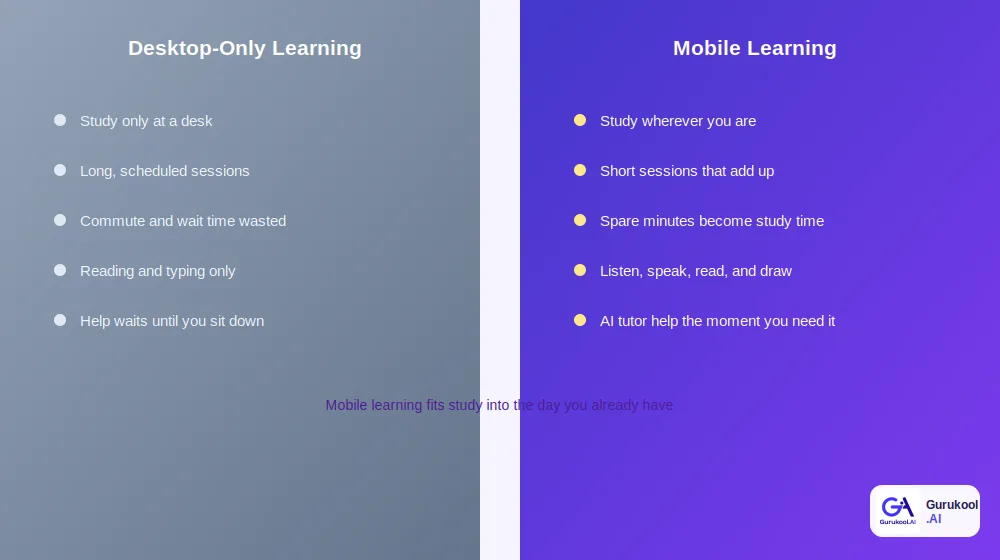
Studying at a desk only versus studying wherever you are
| Factor | Desktop-Only Learning | Mobile Learning (GuruKool AI) |
|---|---|---|
| Where you study | At a desk or on a laptop | Anywhere you have a phone |
| Session length | Long, scheduled blocks | Short sessions that add up |
| Spare time | Commutes and waits go unused | Spare minutes become study time |
| Ways to learn | Mostly reading and typing | Listen, speak, read, and draw |
| Help when stuck | Waits until you sit down | AI tutor help in seconds |
Access and Consistency
The biggest difference is consistency. A student who studies only when a long block of time opens up will study less often than one who can use ten spare minutes. Regular, short sessions keep material fresh and reduce the pressure of cramming. For students with busy schedules, part-time jobs, or long commutes, mobile learning can be the difference between studying a little every day and studying in panicked bursts.
Focus and Screen Size
Mobile learning has real limits, and it is better to name them. Small screens make long writing and complex diagrams harder, and phones carry notifications that can pull attention away. That is why the strongest approach is a mix: use a phone for listening, quick questions, summaries, and short quizzes, and use a larger screen for essays and detailed whiteboard work. Turning on a focus mode during study sessions helps as well.
Access gaps deserve attention too. Not every student has a recent phone, unlimited data, or a quiet place to study, and the research on mobile learning notes that cost and infrastructure remain real barriers. Schools and families can reduce the gap by choosing lightweight tools that work on older devices, by encouraging students to download material on school Wi-Fi where the platform allows it, and by treating a phone as one option among several rather than the only route to a lesson. Equity should be part of any plan, not an afterthought.
How GuruKool AI Supports Mobile Learning
GuruKool AI is built so students can use the same tools they use at home when they are away from a desk, which keeps mobile learning simple instead of fragmented.
One Account, Every Device
The AI tutor, PDF reader, whiteboard, smart library, and voice reading all sit in one account. A student can start a question on a laptop, continue it on a phone during the commute, and finish it on a tablet at home. Because the context carries across, there is no need to explain the same problem twice, and progress shows up in one place for the student and, where a school uses it, for the teacher.
Learning That Respects Focus and Family Rules
Families and schools set their own rules about phones, and good mobile learning works with them. GuruKool AI is designed around short, goal-focused sessions rather than endless scrolling: ask a question, review a summary, take a quick quiz, and stop. Parents can see what a student is working on, and teachers can decide when phone use in class makes sense. The goal is a few minutes of real study, not more time on a screen.
Privacy matters on a personal device too. Before a school or family adopts any mobile platform, including ours, it is worth asking how student data is stored, who can see it, and whether it is used to train AI models. Clear written answers are a sign of a platform built to last.
Make your spare minutes count. Start a free GuruKool AI demo on your phone today.
A Day of Mobile Learning in Action
It helps to see how mobile learning fits an ordinary school day. The pattern below uses only spare minutes and never asks a student to give up sleep or free time.
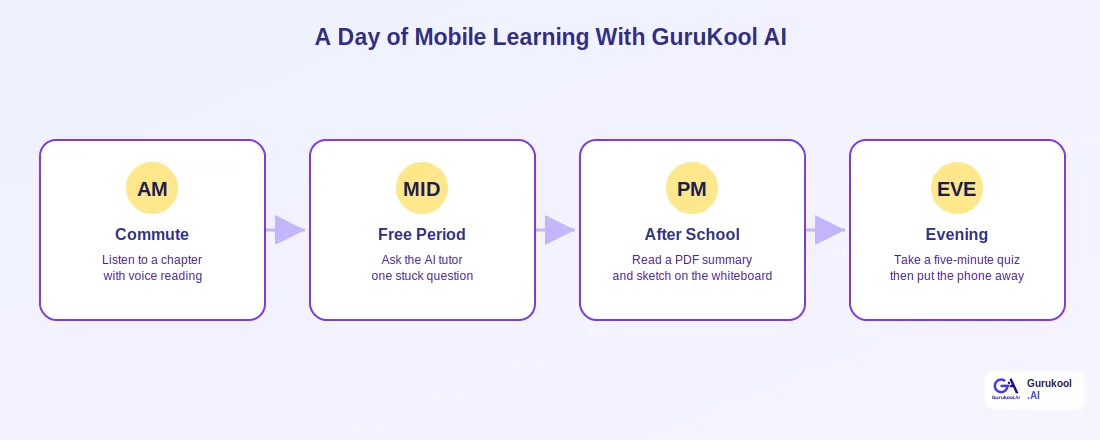
Four short sessions across one school day
Morning and Midday: Small Sessions That Add Up
A tenth grader listens to a biology chapter on the bus using voice reading, which turns a twenty-minute ride into a first pass through the material. During a free period, she hits a question she cannot answer and asks the AI tutor, who explains it step by step in under a minute. By lunch she has covered more than most students manage in an hour at a desk.
Afternoon and Evening: Depth and Review
After school, she reads an AI summary of a history article and sketches a timeline on the whiteboard. In the evening, she takes a five-minute quiz on the chapter she heard that morning, sees which questions she missed, and puts the phone away. Her total time was under an hour, spread across the day, and every session had a clear purpose.
The same pattern is easy to repeat:
- Listen to a chapter during the commute using voice reading.
- Ask the AI tutor one stuck question during a free moment.
- Read a short PDF summary and sketch the idea on the whiteboard.
- Take a five-minute quiz to check what stuck.
- Put the phone away and switch to a larger screen for writing or longer tasks.
Before wrapping up, here are answers to a few of the most common questions students and parents ask about mobile learning.
Frequently Asked Questions About Mobile Learning
What is mobile learning?
Mobile learning is learning delivered through a phone or tablet, usually in short sessions wherever the learner happens to be. It works best with content designed for small screens, such as voice reading, quick questions, summaries, and short quizzes, rather than long lessons copied from a desktop course.
What are the main benefits of mobile learning?
The main benefits are flexibility, consistency, and instant help. Students can study during commutes and breaks, use voice and visual options, and get AI tutor answers in seconds. Regular short sessions also support spaced practice, which helps students remember material longer than occasional long study blocks.
Does mobile learning mean more phone time in class?
No. Schools set their own phone rules, and many restrict phones in class. Mobile learning delivers most of its value outside the classroom, in commutes, evenings, and weekends, and inside class only when a teacher decides it supports the lesson. Purpose matters more than the device.
Can I use mobile learning without an internet connection?
It depends on the feature. Reading material that is already downloaded and reviewing saved notes can work without a connection in many learning apps, but live AI answers need an internet connection. Offline availability varies by platform and device, so check the current GuruKool AI app details before relying on any feature offline.
How does GuruKool AI support mobile learning?
GuruKool AI brings the AI tutor, PDF reader, interactive whiteboard, smart library, and voice reading into one account that works across devices. Students can study in short sessions on a phone, continue on a laptop, and keep their progress and context in one place.
Conclusion
The benefits of mobile learning come down to time, access, and help at the right moment. Students already carry the device, and the research suggests that well-planned mobile learning can improve engagement and skills. The key words are well-planned: short sessions, clear purpose, and sensible limits. Used that way, a phone becomes a study partner for the commute, the free period, and the evening, and then it goes back in the pocket.
GuruKool AI supports mobile learning with learning anywhere, voice learning, AI tutoring, PDF reading, and an interactive whiteboard in one account, so students can make the most of the minutes they already have.
Turn your spare minutes into study time. Start a free GuruKool AI demo today.
Sources: Center for American Progress, 10 Policy Recommendations To Address Cellphone Use in Schools; Wooclap, Cell Phones in Schools Statistics; Wikipedia, M-learning overview.
Related reading: the best AI tools for students, how to study faster with AI, and how an AI homework helper explains and builds practice.